
Must Read Before Uploading Your Work

Artword

Accepted File Types

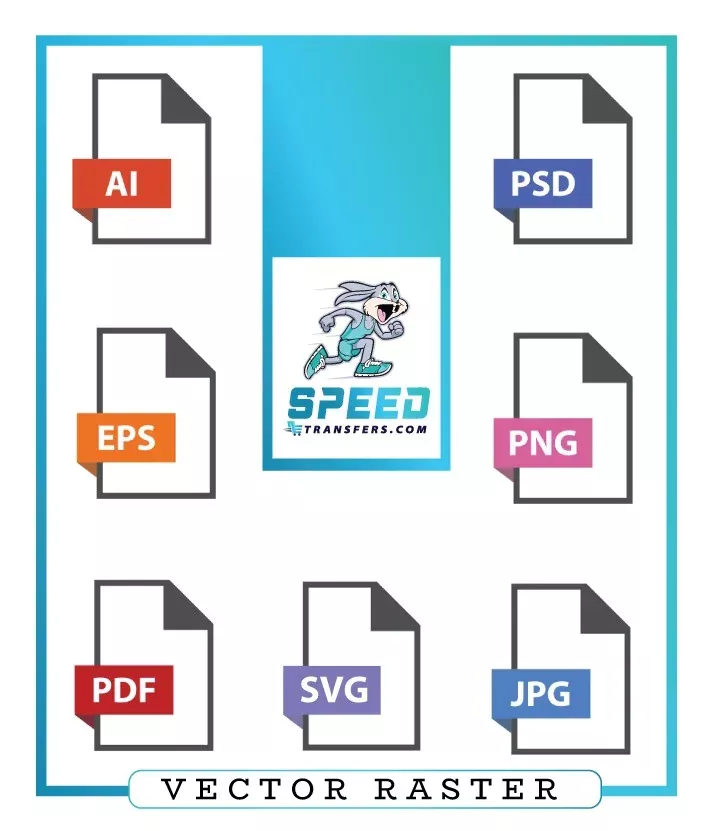
For optimal DTF printing results, vector files are preferred. If you're using raster images, high-quality PNG files are the recommended format.

Artword

Color Considerations

DTF printing uses the CMYK color model, so colors outside the CMYK spectrum may not print accurately.

Artword

Required Line Width

For standalone or free-floating lines, a minimum line width of 0.019" (1.4 pt) is recommended. Lines thinner than this may not adhere properly to the garment during printing.

Artword

Image Resolution / Pixel Count

For the optimized print quality, raster images should be at 300 DPI (dots per inch). Using a lower DPI may lead to pixelation or blurry results when printed. The gang sheet builder will notify you if your image resolution is too low.

Artword

Show-Through and Hand Feel

Designs with more show-through (negative space) allow for better breathability and result in a softer, more natural hand feel on the garment.

Artword

Semi-Transparent Pixels Can Cause White Outlines

When submitting PNG files, ensure there are no semi-transparent pixels along the edges of your design. These can result in unwanted thin white outlines during printing.

Artword

Soft Edges

Designs with soft edges or fadeouts (such as outer glows) can produce an unwanted white halo around the DTF print. To achieve a fadeout effect without this issue, consider using the halftone technique during the design process.

Artword

Transparent Background

Ensure your design has a transparent background before submitting. DTF printing will reproduce everything in the file—including any white backgrounds, which will be printed as part of the design.
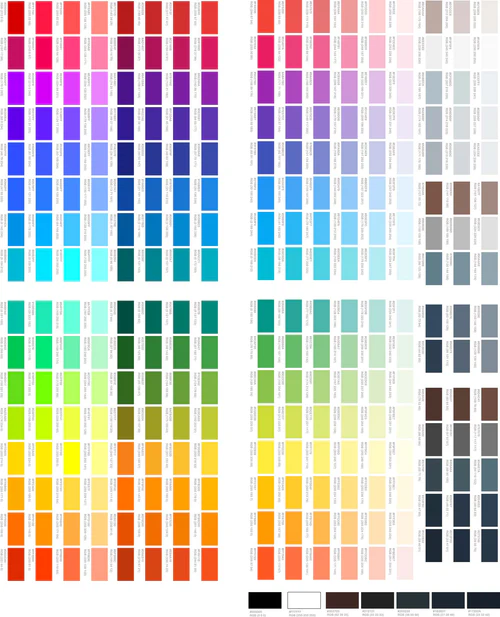
DTF Color Matching Guide chart showing accurate color references for transfers

Color Matching

SpeedETransfers is not responsible for slight color differences between your on-screen digital artwork and the final DTF (Direct-to-Film) transfer. Color appearance can vary depending on your screen settings and device type. For optimized results and color accuracy:* Always include HEX codes in your artwork’s color guide * Our printers are calibrated using CIELAB color profiles, ensuring professional-level color reproduction * Keep in mind that your screen may not be showing the exact printed colorsTo improve color consistency: * Use an IPS monitor for better color accuracy * Calibrate your monitor to the CIELAB color space for more reliable results * Email us at SpeedE@speedetransfers.com to request Pantone-matching services * Order a printed color swatch to select colors physically and reduce guesswork during the design processAt SpeedETransfers, we strive to give you the most accurate and high-quality DTF prints possible. Taking these steps will help you get results that closely match your creative vision.

Why Proper Artwork Preparation Is Important

Proper artwork preparation ensures your DTF transfers print with sharp detail, accurate color, and clean edges. High-quality artwork allows the printer to reproduce your design exactly as intended without distortion, pixelation, or color shifts. Poor artwork quality can result in blurry prints, jagged edges, or unexpected color changes.

Submitting correct artwork also helps prevent production delays. When artwork meets all requirements, your order can move directly into printing without needing corrections or adjustments. This ensures faster turnaround time and professional-quality DTF transfers.

Artwork File Format and Preparation Guidelines

Vector files are the best option for DTF printing because they can scale to any size without losing quality. These formats maintain sharp edges, smooth curves, and clean details regardless of enlargement.

Recommended vector formats include:

  • AI (Adobe Illustrator)

  • EPS

  • SVG

  • PDF (vector format)

Raster files are also accepted when prepared correctly. Recommended raster formats include:

  • PNG (preferred for transparency support)

  • PSD (Adobe Photoshop layered file)

Avoid using low-quality formats such as JPG whenever possible. Compression can introduce unwanted artifacts, reduce clarity, and affect final print quality.

Always submit files at the exact print dimensions to ensure accurate sizing and proper output.

Resolution Requirements for DTF Printing

High resolution is essential for producing sharp, clean, and professional transfer results. Files should be prepared at:

300 DPI at actual print size

Low resolution may cause:

  • Blurry output

  • Jagged or pixelated edges

  • Loss of small details

Proper resolution ensures smooth lines, readable text, and crisp graphics during printing.

Transparent Background Requirements

A transparent background is required to achieve clean transfer results. Any visible background, including white areas, will be printed as part of the design.

To prepare files correctly:

  • Remove all background layers

  • Export with transparency enabled

  • Save using PNG or PSD format

Transparency allows accurate edge definition and ensures only the intended design is transferred.

Color Accuracy and Print Matching

Color may appear differently between digital screens and printed transfers. This happens because screens display RGB color, while printers use CMYK.

To improve color accuracy:

  • Use CMYK color mode when possible

  • Provide HEX or Pantone references if exact matching is required

  • Avoid overly bright RGB colors that cannot be reproduced in print

Following these steps helps achieve consistent and accurate color reproduction.

Common File Preparation Mistakes to Avoid

Avoid these issues to ensure the best results:

  • Resolution below 300 DPI

  • Solid or white backgrounds

  • Soft or semi-transparent edges

  • Extremely thin lines

  • Pixelated or blurry graphics

  • Incorrect sizing

Proper preparation prevents delays and ensures consistent print quality.

Submission Checklist

Before uploading your file, confirm the following:

  • Resolution is set to 300 DPI

  • Background is fully transparent

  • Size matches the intended print dimensions

  • File format is PNG, PSD, AI, EPS, or SVG

  • Colors are properly prepared

Following these guidelines ensures fast processing and professional transfer results.