
SpeedE Transfers — Austin, TX
DTF Transfers FAQs:
25 Best Answers
These DTF Transfers FAQs explain how DTF works, how to prepare artwork and gang sheets, how to order, and how to press current SpeedE Transfers film. If you still have questions, contact our Austin team for help.
DTF Transfers FAQs: Complete Guide
These DTF Transfers FAQs are organized by topic so you can find reliable answers quickly.
Printing Schedule: We print Monday–Friday. Orders placed after 12PM CST or on weekends begin processing the next business day.
Start these DTF Transfers FAQs with the essential printing, fabric, gang-sheet, and image-preparation questions.
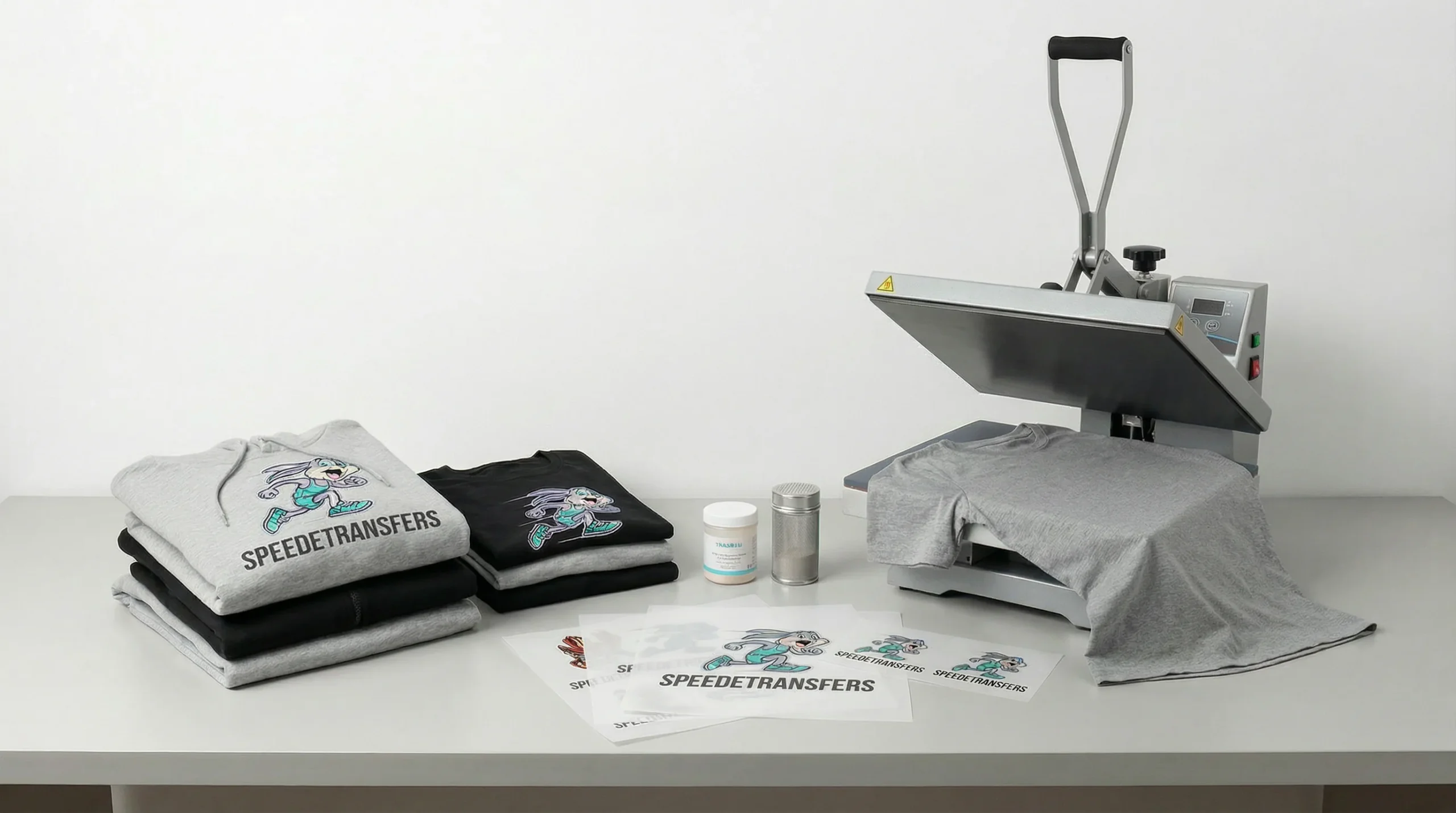
DTF printing (that's short for Direct to Film) is a super-cool way to make your designs shine.
Here's how it works:
- First, we print your artwork onto a special transfer film.
- Then, with a little bunny magic (and a heat press 🔥), you transfer that design onto your t-shirts, hoodies, bags, and more!
The result?
Vibrant, durable designs that can handle the hops, skips, and jumps of everyday life. Perfect for bold colors, crisp details, and long-lasting wear!
"Hop along with me, and I'll show you how the magic happens!
- First, your awesome design gets printed onto a special film using magical inks (okay, not really magic… but close!).
- Next, we sprinkle on a layer of adhesive powder — kind of like giving your design some sticky bunny SpeedE dust.
- Then we cure it (that's a fancy way of saying we set it).
- Finally, with a big whoosh of heat from the press, your design hops right onto your fabric, creating a durable, vibrant, high-quality print!
And just like that, your design is ready to show off — quick, clean, and made to last!
"Great news, friend! 🎉 One of the biggest advantages of DTF printing is its versatility — it can hop onto almost any fabric you can think of!
- Cotton? Check.
- Polyester? Yup.
- Blends? Of course.
- Even tricky synthetics like nylon? You bet!
That means you can use DTF transfers on all kinds of apparel and accessories. From tees to hoodies to bags… SpeedE's got you covered. 🐰
A gang sheet is like a party on one transfer sheet 🎉
- You can load up multiple designs or logos all together.
- It saves you money by using every bit of space on the sheet.
- Once it's printed, just cut out each design and press them individually onto different items.
More designs, more savings, more hoppin' fun!
Good news, hopper! 🐰 You don't need to mirror your images.
- With DTF printing on our commercial printer, our clever software does all the mirroring for you.
- When your prints arrive, just cut them apart and press — easy peasy, bunny-squeezy!
Don't worry — it may not be burnt! Some of our transfers may have a yellow, fluorescent, orange, or otherwise brighter-looking appearance before pressing. This can happen because we use an RGBO expanded-color printing process on certain designs.
Sometimes, even when RGBO is not specifically requested or ordered, we may print a design using this process when it helps us produce the transfer more efficiently. In those cases, it's essentially a free upgrade to the color process.
Why does it look different?
RGBO and expanded-color inks can produce brighter and more fluorescent-looking colors than standard CMYK printing. The appearance of the ink layers on the transfer film can also make certain colors — especially yellows and other bright shades — look stronger, warmer, or slightly unusual before the transfer is pressed.
DTF transfers also use a white ink underbase beneath the colors. Because the color and white ink layers interact visually on the film, the transfer may not look exactly like the finished print will look once it's pressed onto the garment.
So, is the transfer burnt?
Not necessarily. A yellow, fluorescent, or slightly darker-looking area does not automatically mean the transfer was overheated or burnt. It can simply be the appearance of the ink combination and white underbase used during the printing process.
If you're unsure about a transfer, please contact us before discarding or attempting to modify it. Send us a photo of the transfer and we'll be happy to take a look.
Use these DTF Transfers FAQs to understand accounts, production timing, cancellations, shipping, and local pickup.
We currently offer local pickup at three locations. Please select the correct pickup location when placing your order and make sure you go to the location selected for your order.
500 Victor Street
Suite 100
Austin, TX 78753
12828 Dwight Eisenhower Street
Manor, TX 78653
430 E Helms Rd Ste D1
Houston, TX 77037
How local pickup works:
- Select your preferred local pickup location during checkout.
- Make sure you select the correct location before completing your order.
- Wait until your order is marked as Ready for Pickup before coming to the location.
- You'll receive an order notification when your order is ready for pickup.
- Please pick up your order from the location selected on your order.
Important: Please do not go to a different pickup location than the one selected at checkout. If you're unsure which location you selected, contact us before heading out and we'll confirm the correct pickup location for your order.
For questions about your pickup order, email us at SpeedE@speedetransfers.com or call (512) 799-0115.
Fast is My Middle Name! 🐇
(Well… okay, it's actually my only name 😄)
At SpeedETransfers.com, we take pride in delivering SpeedE Service so your prints hop right into your hands as quickly as possible!
Here's the Scoop:
- Same-day printing is available Monday–Friday for orders placed before 12PM CST
- Orders placed after 12PM CST or on weekends will begin processing the next business day
- Most orders are ready by 7PM once in production
- Holidays or special events might slow this bunny down a little, but don't worry—I'll always keep things hoppin' along!
Got a question about your order? 📬
Just hop over and email us at SpeedE@speedetransfers.com and we'll bounce right back to you!
Thanks for choosing SpeedETransfers.com — we truly appreciate your business! 🐰💛
All sales are final. Once you hit that order button, I'm already twitching my ears and prepping your prints.
But… I do understand life throws surprises! If you need to cancel, and your order hasn't hopped into production yet (meaning it hasn't been queued or printed), I'll do my best to accommodate.
If we can cancel:
There's a small 5% fee (covers credit card fees + my time downloading & prepping your files).
If you used the Gang Sheet Builder and your file has already been downloaded, it's a 10% fee (since that magical plugin charges us too).
Once your order is in production (or printed), there's no turning back — I'm too fast!
At the end of the day, all refunds are decided by SpeedETransfers.com (dba Capital Signs). Thanks for understanding and for trusting this SpeedE Bunny with your prints! 🐰
Hop over to the top right of the website and click "My Account" 🐰
- Enter your email, and we'll send you a magic link to reset your password
- Once your password is reset, your account is activated and ready to go! Now you can upload gang sheets or create your own using our handy gang sheet builder
- Important: If you don't activate your account by changing the password, you won't be able to upload gang sheets.
Remember to log in and use your account to save drafts, track orders, and make your shopping experience extra smooth and fun 🎉
Thanks a bunch for choosing SpeedETransfers.com! 🐰💛
Wholesale customers already receive exclusive discounted pricing. 🐰
Because your wholesale account includes special wholesale pricing, coupons, promotional codes, and additional retail discounts cannot be combined with wholesale pricing.
This helps us keep our wholesale pricing consistent while giving our wholesale customers the best available rates from the start.
Absolutely! We'd love to deliver your prints anywhere in the continental USA 🐰🌎
- We ship FLAT RATE for just $10 – no hidden fees, no surprises!
- Whether your order is $10 or $1000, the shipping cost stays the same.
Hop on over and get your designs delivered fast, fun, and fuss-free! 🎉
We offer both UPS and USPS shipping options. If your order qualifies for same-day printing and is placed before 12PM CST Monday–Friday, we aim to have it printed and prepared for shipment the same business day. Orders placed after the cutoff or on weekends begin processing the next business day.
USPS shipping is available at no additional shipping cost when selected at checkout. UPS shipping options may have an additional charge depending on the service selected.
Once your order is ready, we'll pop the tracking number into your order notes on the website. Keep in mind: you'll be able to see it right away, but it might not update until later that day when UPS or USPS scans it into their hub.
So rest easy, friend — once SpeedE tags your order and it's out the door, it's on its way to you in a flash! 🐇💨
We offer both UPS and USPS shipping options. UPS Ground is the standard UPS service, and USPS is available as a free shipping option when selected at checkout.
USPS delivery can take approximately 5–7 days after shipment, depending on the destination and carrier conditions. For faster delivery, contact us at SpeedE@speedetransfers.com as soon as possible to ask about available UPS upgrades and any additional shipping cost.
Typical UPS transit times after the carrier receives your package:
UPS Ground: 1–7 business days
UPS 3-Day Select: 3 business days
UPS 2nd-Day Air: 2 business days
UPS Next Day Air: 1 business day
These are carrier transit estimates and do not include production time. We print Monday–Friday only, and orders placed after 12PM CST or on weekends begin processing the next business day.
Because we print fast around here, if you need to make an artwork change, please let us know within 15 minutes of placing your order to give us the best chance of catching it before your gang sheet hops into production.
Need to make a change after that? Don't panic-hop. Email or text us right away and we'll do our best to accommodate the update as long as your gang sheet hasn't been printed yet. Once printing starts, we can't guarantee changes can be made.
Before you check out, give your artwork one last bunny look-over for spelling, sizing, colors, and design details.
We print Monday through Friday only.
Orders placed after 12PM CST or on weekends will begin processing the next business day.
We recommend inspecting your order as soon as you receive it.
- Verify that you received the correct quantity and products.
- Check for any missing items, shortages, or production issues.
- Report any issues within 3 days of pickup or the shipment being marked as delivered.
We keep detailed production and packing records to ensure every order is complete. However, after the 3-day inspection period, we are no longer able to reliably verify missing item claims, and replacements cannot be guaranteed.
If you notice an issue, please contact us right away with your order number and photos (if applicable), and we'll be happy to assist you.
These DTF Transfers FAQs cover transparent backgrounds, resolution, sizing, and artwork preparation before upload.
Great question, friend! 🐰
When it comes to super tiny designs, there's a limit to keep everything pressing just right.
The smallest we recommend printing is .19 inches. This gives enough room for the colors, white underbase, and choke to lay down properly so the adhesive powder can stick and melt the way it should.
Can we sometimes go smaller? Sure… but 😬 we can't guarantee the results if the details are too small. Keeping your lines, strokes, and design details at .19 inches or larger helps ensure better adhesion, cleaner printing, and a more reliable finished transfer.
White details may sometimes print smaller, but again, no guarantees! Very fine details can be affected by the white underbase, choke, adhesive powder, and the printing process.
Pro tip from SpeedE: Always double-check your artwork before submitting your order. It's the customer's responsibility to make sure lines, strokes, and small design details are large enough to print properly!
Good news, hopper! 🐰 You don't need to mirror your images.
- With DTF printing on our commercial printer, our clever software does all the mirroring for you.
- When your prints arrive, just cut them apart and press — easy peasy, bunny-squeezy!
Follow these DTF Transfers FAQs for the current 145°C (293°F), 12-second pressing process and troubleshooting guidance.
Cotton (100%)
Set your press to 145°C (293°F)
Press for 12 seconds
Pressure: Firm, even
Instant / Hot Peel – peel immediately after pressing.
Polyester & Blends
Set your press to 145°C (293°F)
Press for 12 seconds
Pressure: Medium
Warm Peel – allow the transfer to cool slightly before peeling.
SpeedE Transfers Pre-Press Check
Before you start pressing, double-check that your heat press is calibrated 🐰
- Calibration makes sure the heat and pressure are just right for a perfect transfer.
- Use a temp gun to see if the screen reading matches the real heat on the press.
- If it's off, make a note and adjust so you're pressing at the correct temperature.
- Place your DTF film right where you want your design to transfer onto your fabric.
- Set your heat press to 145°C (293°F).
- Close the heat press and apply the appropriate pressure for 12 seconds.
- The combination of 145°C (293°F) and 12 seconds is the recommended setting for our new film.
Finish the DTF Transfers FAQs with answers about defects, returns, order issues, and customer support.
We stand by our prints, friend! 🐰
If a transfer is genuinely defective due to a production issue on our end (such as an under-cured print or a misprint), we will gladly make it right by reprinting and replacing the transfers.
However, please keep our garment policy in mind:
Because we only supply the DTF transfers and do not supply, handle, or press the garments ourselves, SpeedE Transfers is not responsible for replacing, reimbursing, or covering the cost of blank or finished garments ruined during testing, pressing, or troubleshooting. Testing a new batch or fabric style on a test shirt or scrap fabric is always recommended!
Troubleshooting Pressing & Curing Issues:
If you experience cracking, peeling, or sticking issues, it usually comes down to heat press calibration, pressure, or time. Before assuming a transfer is bad:
- Verify your press temp with a temp gun (our standard is 145°C / 293°F for 12 seconds).
- Check that your press is applying firm, even pressure.
- Ensure you are following the correct peel type (Hot/Instant peel for cotton, Warm peel for poly/blends).
If you suspect a production defect (like under-curing), please stop pressing, take photos of the transfer and the issue, and email us right away at SpeedE@speedetransfers.com so we can investigate and replace your transfers if it's our fault!
SpeedE Transfers Return & Refund Policy
At SpeedEtransfers.com, we hop with pride knowing our transfers are top-notch. 🐰 While all sales are final, I totally understand that sometimes things don't go as planned. If your order shows up defective, don't worry — this bunny SpeedE has got your back!
How to Hop-Start a Return
Before sending anything back, you'll need a Return Merchandise Authorization (RMA) number. Here's how to get one:
Email us at SpeedE@speedetransfers.com and request an RMA.
In your message, please include:
- Your order date & order number
- A description of the issue
- Photos of the defective product
- Whether you'd like a replacement, store credit, or refund
Once you receive your RMA number, write it big and bold on the outside of your return package so we know it's from you.
What Qualifies for a Return
We can only accept returns for defective transfers. That means:
- Transfers that won't stick to fabric
- Transfers that crack or peel after 1–2 washes
- Transfers that were misprinted (issue NOT related to customer artwork)
All returns must be unused, in new condition, and in original packaging.
Note: Once your order leaves our hands and is in the possession of UPS or USPS, we can't control delays or damage caused by the carrier.
What Does Not Qualify
Sorry hoppers, but refunds or reprints aren't available for:
- Color shifts from customer-submitted files
- Pixelation from low-resolution artwork
- Spelling, grammar, or design mistakes in artwork you uploaded
- White outlines/halos from semi-transparent pixels in your file
- Packages damaged by the shipping carrier
- Gang sheets with overlaps, ghosting, or other errors from submitted/approved artwork
Return Timeframes
- Inspect your order within 3 days of pickup or delivery.
- Report any missing items or shortages within 3 days.
- Refund requests: within 5 days of delivery.
- Exchanges or store credit: within 30 days of delivery.
Claims for missing items or shortages received after 3 days cannot be guaranteed, as we are unable to verify production and packing records after that time.
After 30 days, this bunny can't accept returns. 🐰
Return Shipping Costs
- Customers are responsible for all return shipping fees.
- Insurance companies may refund the product cost but not the shipping cost.
How to Send Your Return Back
Email us at speede@speedetransfers.com to get your RMA number.
Write your RMA number clearly on the outside of your package.
Ship your return to the address provided once your RMA is approved.
That's it! We'll always do our best to keep things hoppin' smoothly. 🐾
Thanks for trusting SpeedEtransfers.com with your prints! 🐰💛
Ready to Get Started?
DTF Transfers FAQs Answered?
Get Started Today.
Still have questions? Feel free to contact us — we're happy to help. Otherwise, hop over and upload your design to get your custom DTF transfers printed fast, right here in Austin.
📧 SpeedE@speedetransfers.com · 📞 (512) 799-0115 · 📍 500 Victor Street, Suite 100, Austin TX 78753