🎉 New customers get 15% off their first order  ·  Same-day printing available — order before 12PM CST  ·  📞 (512) 799-0115

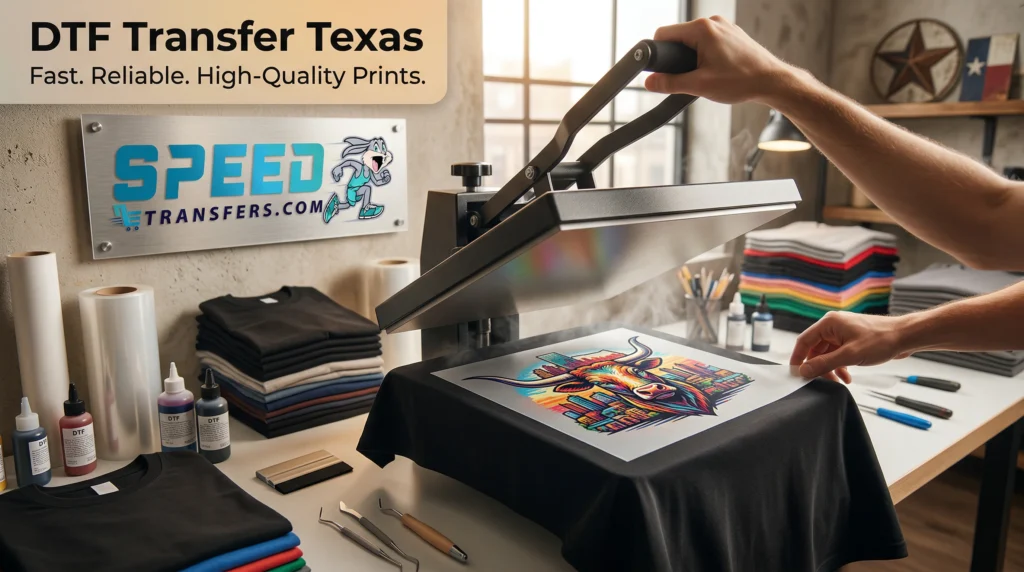
DTF transfer Texas heat press applying vibrant custom design on t-shirt in professional print shop

Custom DTF Transfers for Texas Businesses, Bulk Buyers, and Apparel Brands

You’ve found a great design. Your audience is ready. The last thing you need is a transfer that peels off after two washes — or arrives looking nothing like your artwork.

Picking the right DTF transfer service isn’t just about price. It’s about ink quality, film clarity, adhesive curing, turnaround reliability, and a production partner that actually knows what they’re doing. Most brands only find that out the hard way.

At SpeedE Transfers, we specialize in DTF transfer Texas services for brands, creators, and businesses that need consistent, high-quality results. Choosing the right provider isn’t just about price—it’s about durability, color accuracy, and reliability.

Who This Guide Is For

This page is written for:

  • Apparel brands ordering custom transfers for small-to-medium runs
  • Independent creators looking for print-on-demand quality without screen printing minimums
  • Decorators and boutique studios that need consistent, repeatable results across multiple fabric types
  • Anyone who’s been burned by a bad transfer vendor and wants to choose smarter next time

What Is a DTF Transfer, and Why Does It Matter for Custom Apparel?

Direct to film (DTF) printing works by printing your design in reverse onto a PET film sheet using pigment-based inks (CMYK + white). An adhesive powder is applied, heat-cured onto the film, and then the finished transfer is heat-pressed onto your garment.

The result: vibrant, flexible, full-color prints that bond to almost any fabric — cotton, polyester, blends, tri-blends, even performance wear.

Unlike screen printing, there are no screens to set up and no color limitations. Unlike sublimation, DTF works on dark garments and natural fibers. That combination of versatility and detail is why DTF has become the go-to method for small-batch custom apparel.

But — and this matters — the quality of your finished transfer is almost entirely determined by who prints it and how they do it. Ink chemistry, film grade, powder melt profile, and curing parameters all have a direct effect on washability and color accuracy.

Quick Stat

A 2025 study on heat press optimization found that printing at 170°C with a 10-second dwell time significantly reduces color loss and adhesion failures compared to uncontrolled press settings. This is the kind of process discipline that separates a serious DTF transfer service from a hobbyist setup.

The Real Benefits of DTF Printing for Brands and Creators

Here’s what makes DTF the right choice for most custom apparel projects:

Benefit

What It Means in Practice

Photographic detail

Gradients, fine lines, and full-color artwork reproduce without color limitations or spot-color setup costs

Fabric flexibility

Works on cotton, polyester, tri-blends, performance fabrics — one workflow covers your whole product line

No minimums

Order one transfer or one thousand. DTF is equally efficient at small and medium volumes

Gang-sheet savings

Multiple designs on one sheet = lower cost per transfer on mixed or small orders

Durable wash results

Properly cured transfers hold up through dozens of cold washes when applied correctly

7 Things to Evaluate Before Choosing a DTF Transfer Service

Most providers make the same promises. Here’s how to cut through the noise:

1. Ink and Film Quality

Premium DTF inks have consistent pigment density and high white ink opacity — that white underbase is what makes your colors pop on dark garments. Low-quality ink shows as muted colors or a gray cast on black shirts.

Ask any vendor for a macro photo of a white-ink print on black fabric. If they can’t or won’t provide one, that’s a red flag.

2. Adhesive Powder and Curing Protocol

The hot-melt adhesive powder determines how well the transfer bonds to your garment — and how flexible it feels after pressing. The curing process (oven temperature and dwell time) determines whether that powder bonds correctly to the ink layer.

Undercured transfers feel gummy. Overcured ones crack. Ask vendors for their curing parameters and request a wash-tested sample before committing to a bulk order.

3. Print Resolution and Color Management

DTF artwork should be printed at 300 DPI or higher for clean edges on photographic work. Color management matters too — find out whether a vendor uses an RIP software workflow or relies on default driver settings. RIP-managed color is more consistent.

Request a close-up proof photo of fine-line artwork to check for dot morphing or edge softening.

4. Wash-Test Evidence

Any vendor can claim their transfers are “durable.” Ask for documented wash-test results — pre and post-wash photos, with wash conditions and cycle counts noted. A reputable provider should have this ready.

At SpeedE Transfers, we send wash-tested sample packs on request so you can see exactly what you’re getting before you order.

5. Turnaround Time and Reorder Consistency

Fast turnaround matters for time-sensitive drops and seasonal runs. But consistency matters even more — your fifth order should look identical to your first. Ask how vendors store job records and whether they can match previous prints on reorders.

6. Heat Press Instructions and Support

A professional vendor provides clear application instructions: press temperature, dwell time, pressure level, and peel method (hot vs. cold). If they hand you a transfer with no documentation, expect inconsistent results.

Typical starting parameters: 160–170°C (320–338°F) for 10–15 seconds at medium pressure. Always test on a swatch first when pressing a new fabric type.

7. No Minimums and Transparent Pricing

Gang-sheet pricing and no minimums are huge for independent creators and brands running variable designs. Make sure pricing is published or easy to get — vague quotes and bait-and-switch minimums are common in this industry.

Vendor Evaluation Rubric: What to Ask vs. What to Watch For

Factor

Green Flag

Red Flag

Print quality

Macro proofs available, RIP workflow, 300+ DPI

Only stock mockups, no real print samples

Durability

Wash-test data on request, curing parameters shared

“Durable” claims with no supporting evidence

Turnaround

Published lead times, expedited options with clear SLA

Vague or inconsistent timeframes

Pricing

Tiered/gang-sheet discounts, transparent per-transfer cost

Flat rates, hidden fees, or forced minimums

Support

Responsive, sample policy, clear reprint/return process

Slow responses, no samples, no accountability

Reorder consistency

Job records kept, previous prints matched on reorder

No record-keeping, inconsistent repeat results

DTF vs. Screen Printing vs. Sublimation: Which Is Right for You?

Each method has a use case. Here’s an honest breakdown:

Method

Best For

Strengths

Limitations

Volume Sweet Spot

DTF Transfers

Multicolor, photographic, or mixed-fabric runs

No setup cost, versatile substrates, fine detail, works on dark garments

Slight transfer feel; requires a heat press

1–500 units

Screen Printing

Large runs of simple, spot-color designs

Very low per-unit cost at scale, traditional ink feel

Per-color screen setup cost, less suitable for photography or gradients

200+ units

Sublimation

All-over prints on polyester

Seamless feel, unlimited color depth, no transfer layer

Polyester-only, ineffective on dark or cotton garments

Variable

The short version: if your designs are multicolor, photographic, or go across different fabric types — DTF wins. If you’re running thousands of two-color tees on white cotton, screen printing may be cheaper. If you’re doing all-over prints on performance wear, look at sublimation.

Most brands doing small-batch drops, POD-style fulfillment, or custom orders land squarely in DTF territory.

How to Prepare Your Artwork for DTF Printing

Good file prep means faster turnaround, fewer revisions, and better final prints. Here’s what any quality vendor needs from you:

  • Resolution: 300 DPI minimum at final print size — no upscaling from low-res files
  • Format: PNG (with transparent background) for raster art; PSD, AI, or PDF for layered/vector files
  • Color space: Ask your vendor whether they work in sRGB or use RIP-managed color — provide a reference or request a proof
  • Background: Transparent background for any design that isn’t a full-bleed print
  • Size: Sized to exact final dimensions, not a smaller placeholder

Gang Sheets: How to Cut Your Per-Transfer Cost

A gang sheet packs multiple designs — or multiple copies of the same design — onto a single PET film. Because fixed costs (ink, powder, film handling) are shared across more units, the per-transfer cost drops significantly.

To make the most of gang sheeting:

  • Submit all designs at final scale — don’t leave sizing up to the vendor
  • Group similar-height designs together to minimize wasted film space
  • Include bleed where artwork runs edge-to-edge
  • Provide a layout map if you have a specific arrangement in mind

Gang Sheet Scenario

Efficiency

Est. Cost Per Transfer

Recommended File Format

10 different designs × 1 each

Low — individual placements

Higher per-transfer

Individual PNGs at 300 DPI, transparent background

5 designs × 10 copies each

Medium — shared margins

Moderate

Flat PNG or PDF with final-scale artwork

50 units, tightly nested mixed designs

High — optimized layout

Lowest per-transfer

Gang sheet layout provided at final scale with registration marks

How to Apply DTF Transfers: Settings, Peel Methods, and Common Mistakes

Even a perfect transfer can fail if it’s applied incorrectly. Here’s what to know before you press:

Recommended Heat Press Settings (Starting Point)

Parameter

Recommended Range

Notes

Temperature

160–170°C (320–338°F)

Adjust slightly for thicker or textured fabrics; always verify with vendor spec sheet

Dwell Time

10–15 seconds

Longer for thicker garments; shorter for fine fabrics

Pressure

Medium-firm

Too much pressure causes fabric imprinting; too little reduces adhesion

Peel Method

Hot or cold — follow vendor spec

Hot peel: immediately after pressing. Cold peel: full cool-down first

Always do a test press on a swatch before running a full batch on a new fabric type.

Garment Care Instructions to Share with Customers

  • Wash inside-out on a cold, gentle cycle
  • Avoid bleach and fabric softeners — both degrade the adhesive layer
  • Tumble dry low or air dry; skip high-heat dryer cycles
  • Iron inside-out with a pressing cloth if needed
  • Avoid tight folding directly across the print for long-term storage

Why Brands Choose SpeedE Transfers

SpeedE Transfers is a family-run DTF printing shop based in Austin, TX. We print for independent creators, apparel brands, screen printers, and decorators — anyone who needs high-quality transfers without the minimums, the runaround, or the inconsistency.

Here’s what sets us apart:

  • No minimums — order one or one thousand, we print it
  • Fast turnaround — we don’t pad our lead times
  • Wash-tested results — we test our prints so you don’t have to learn the hard way
  • Real support — you’re not submitting a ticket into a void; we’re a real team
  • Consistent reorders — we keep job records so repeat prints match your originals

From Our Customers

“We switched to SpeedE after two other vendors failed our wash tests. The difference was immediate — vibrant colors, no peeling, fast shipping. We haven’t looked back.”

Frequently Asked Questions

1. What’s the minimum order at SpeedE Transfers?

There is no minimum. You can order a single transfer or a full gang sheet — pricing scales accordingly. Gang sheets offer better per-transfer rates for mixed designs.

2. How long do DTF transfers last after washing?

Properly cured and correctly applied DTF transfers hold up through 40–50+ wash cycles when laundered in cold water on a gentle cycle. Longevity depends on the quality of the transfer, correct press settings, and how the garment is cared for.

3. Can DTF transfers be applied to any fabric?

DTF transfers work on most fabrics: 100% cotton, polyester, poly-cotton blends, tri-blends, performance wear, and more. They are not recommended for waterproof or heavily coated fabrics where the adhesive can’t bond to the textile fibers.

4. What file format should I send for my design?

PNG at 300 DPI with a transparent background is the standard. For vector or layered work, PSD, AI, or flattened PDF files work well. If you’re unsure, send us your file and we’ll let you know if anything needs adjusting before we print.

5. How does DTF compare to screen printing for small runs?

For runs under 100–200 units — especially with multiple colors or photographic artwork — DTF is almost always more cost-effective. Screen printing has per-color setup costs that make small batches expensive. DTF has no setup fees, which means lower risk on new designs and variable drops.

6. Do you offer rush turnaround?

Yes. Contact us directly for expedited orders. We’ll give you a realistic timeline based on current volume — no vague promises.

7. What happens if my transfers arrive with a quality issue?

We stand behind our work. If a transfer doesn’t meet the standard shown in your proof or our sample packs, reach out and we’ll make it right. Clear communication from both sides makes that process fast.

Ready to Order? Let’s Print.

No minimums. Fast turnaround. Real results.

Upload your artwork at speede@speedetransfers.com → get your order started today.