🚚 Same-Day Shipping Cut-Off: 12:00 NN CST  •  🏪 Orders placed after 12:00 NN qualify for Same-Day Local Pickup (when available).  •  📞 (512) 799-0115

UPDATED PRESSING INSTRUCTIONS: DTF transfers should now be pressed at 145°C (293°F) for 12 seconds. VIEW UPDATED PRESSING INSTRUCTIONS →
DTF Printing Designs: Ideas & Artwork Guide | SpeedE Transfers

Ideas made wearable

DTF printing designs that get noticed.

Turn bold typography, detailed illustrations, photographs, and personalized ideas into vibrant apparel—without simplifying away the personality.

DESIGNUPLOADPRINTPRESSWEAR
🎨

What are DTF printing designs?

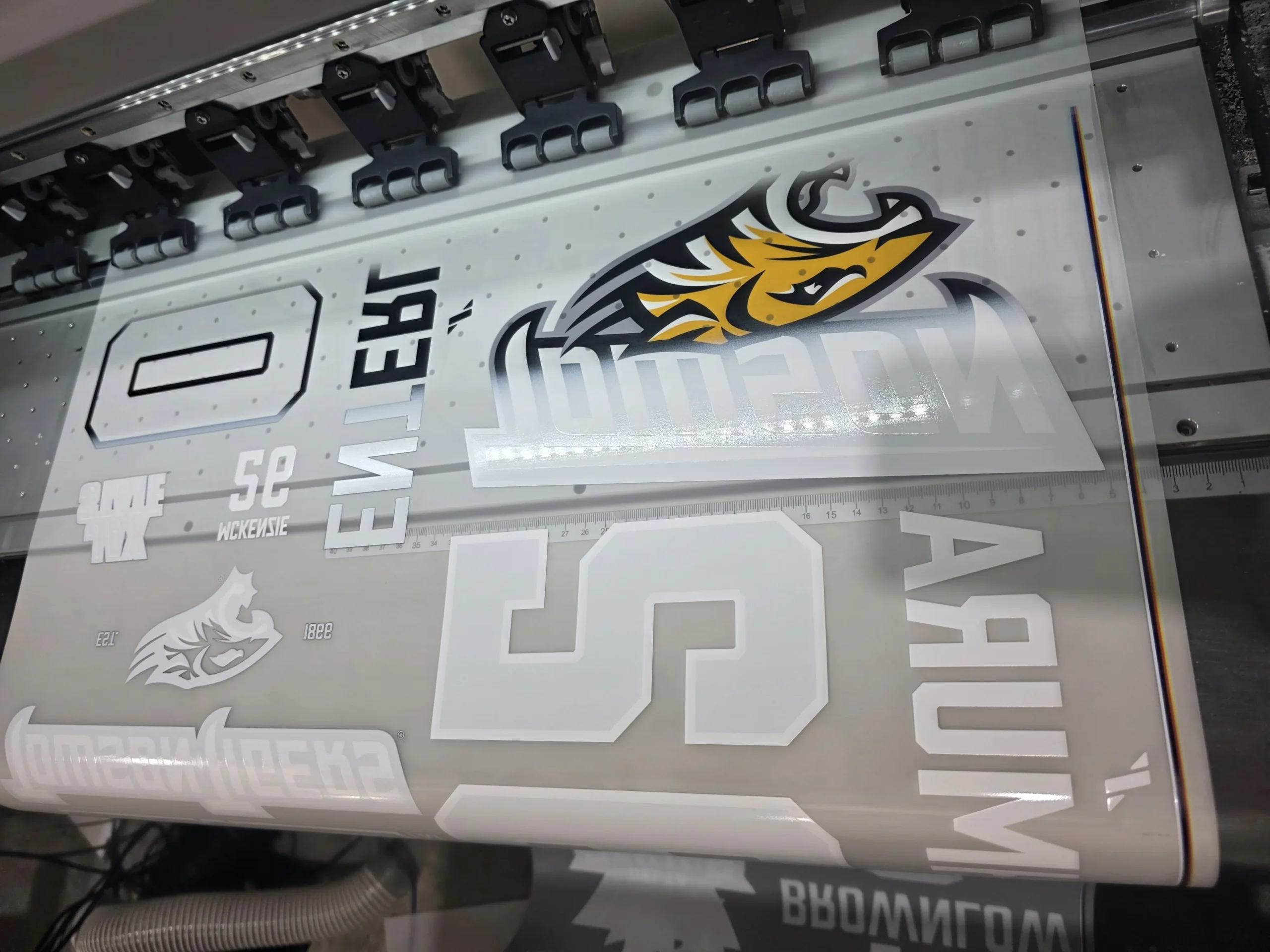
DTF printing designs are digital graphics produced on transfer film and applied to fabric with heat and pressure. Because DTF supports full color, white ink, gradients, fine detail, and complex shapes, one design can work on light or dark cotton, polyester, and compatible blended garments. The strongest results begin with original, high-resolution artwork prepared at the correct print size.

Find your visual lane

Eight directions worth exploring

Aa

Statement typography

Build hierarchy with one dominant phrase, a supporting line, and intentional spacing. Strong letterforms stay readable from a distance.

Retro revival

Try groovy type, sunbursts, halftones, vintage mascots, and era-inspired palettes—then add an original viewpoint.

Botanical illustration

Detailed flowers, leaves, and hand-drawn linework suit apparel, totes, uniforms, and elevated lifestyle merchandise.

📷

Photo and portrait art

Use a sharp, well-lit source. Thoughtful cutouts, tonal control, and edge cleanup make portraits feel designed rather than pasted on.

Streetwear graphics

Combine oversized back art, small chest marks, bold symbols, distressed textures, and deliberate limited-edition details.

🐾

Personalized pets

Turn a clear customer photo into a portrait, badge, line drawing, or playful character for high-emotion custom gifts.

🏆

Teams and events

Create a reusable system for names, numbers, dates, sponsors, and roles while keeping the overall collection consistent.

🌈

Neon and expanded color

Choose specialty printing when true fluorescent impact or a wider color range matters; standard CMYK cannot reproduce every luminous hue.

🛍️

Brand merchandise

Translate a brand into wearable graphics with recognizable colors, type, icons, and messages—not only a large logo.

Design before decoration

What makes apparel artwork work?

👁️

Clear hierarchy

Give the eye a first, second, and third place to look. If every element shouts, the idea becomes hard to read.

Useful contrast

Separate foreground and background values. Preview the design on the actual garment color before approving it.

📐

Intentional scale

Design for a body, not a blank square. The same graphic may need distinct adult, youth, left-chest, and sleeve sizes.

✂️

Clean silhouette

A strong outer shape reads quickly. Remove accidental pixels, ragged cutout edges, and unwanted background boxes.

🔍

Practical detail

Fine lines and tiny gaps must survive printing, adhesive, pressing, fabric texture, and normal viewing distance.

💡

Original concept

Trends can guide mood, but distinctive artwork gives customers a reason to choose your product instead of a copy.

Print-ready artwork

Give every detail a fighting chance

Before uploading

  • Set the canvas to the intended print dimensions
  • Use 300 DPI at final size for raster artwork
  • Export a transparent background
  • Use clean PNG or the requested production format
  • Outline or embed fonts in editable files
  • Remove hidden pixels and white halos
  • Keep important lines thick enough to reproduce
  • Check spelling, dates, names, and numbers

Avoid these traps

  • Images copied from a social media preview
  • Upscaling a tiny file without restoring detail
  • Semi-transparent edges that create pale outlines
  • Unlicensed characters, logos, fonts, or artwork
  • Black backgrounds left inside the design file
  • Critical colors judged only on a bright phone
  • Artwork sized differently from the order
  • Hairline details and microscopic text
Important: DTF reproduces what is in the file—including mistakes. Zoom in over a contrasting background before export, then inspect the exported file again. A transparent checkerboard in editing software does not guarantee every unwanted pixel is gone.

Design meets garment

Choose the placement before the layout

PlacementBest forDesign consideration
Full frontHero graphics, campaigns, art tees Balance width with garment size and leave comfortable collar space
Left chestLogos, uniforms, subtle branding Simplify detail and confirm pocket position
Full backStreetwear, crews, tour and event shirts Use a strong top-to-bottom hierarchy visible from a distance
SleeveSecondary marks, names, dates Use narrow artwork and test around seams and taper
Neck labelBrand identity and size information Keep it soft, compact, legible, and correctly oriented
HoodieFront, back, sleeve, or hood art Account for pockets, seams, drawstrings, and thicker fabric
Tote bagRetail art, events, gifts Center within the usable flat area, not including gussets

Idea to inventory

A simple four-step design workflow

Define the buyer

Choose the audience, garment, use case, price point, and emotion before collecting visual references.

Create and test

Build original artwork, check it at actual size, and preview it on light and dark garments.

Prepare the file

Clean edges, confirm dimensions and resolution, remove the background, and export the approved version.

Sample before scaling

Press one on the intended blank. Review placement, color, hand feel, detail, stretch, and wash performance.

Trend filter

Use trends without becoming generic

Borrow the mood

Study palette, composition, texture, and cultural context. Do not trace or closely imitate another creator’s finished design.

Add a point of view

Connect the trend to a specific audience, place, inside joke, craft, or brand story. Specific ideas feel more memorable.

Plan a collection

Create several related designs with shared colors and type. A coordinated drop is easier to merchandise than random singles.

Design desk answers

DTF printing designs FAQs

What type of designs work best for DTF?

DTF handles full-color illustrations, gradients, photographs, typography, detailed logos, and complex shapes. Clean artwork and practical detail sizes remain essential.

What file format is best?

A transparent PNG at final size is widely used. Some workflows also accept PDF, AI, PSD, SVG, EPS, or TIFF. Follow the printer’s upload instructions.

What resolution should DTF artwork be?

Use 300 DPI at final print size for raster art when possible. Enlarging a low-resolution file does not recreate missing detail.

Can DTF print photographs?

Yes. Start with a sharp, well-exposed image and use careful background removal and tonal adjustments for the garment color.

Can DTF print on dark shirts?

Yes. A white ink underbase helps the colors remain visible and vibrant on dark garments.

Should artwork have a transparent background?

Yes, unless a printed background shape is intentional. Any visible background in the file may be reproduced in the transfer.

Can I print very small details?

DTF supports fine detail, but extremely thin lines, tiny isolated dots, and microscopic gaps may not survive production and wear. Test them at final size.

Can I use Canva for DTF designs?

Yes. Set the correct dimensions, use high-quality assets, check licensing, and export at the highest available quality with transparency when supported.

How do RGB colors affect printing?

Screens can display colors that process inks cannot reproduce. Color-managed conversion and a physical sample provide more dependable expectations.

Can DTF create metallic or neon effects?

Standard CMYK may simulate the appearance but not true metallic reflection or fluorescence. Specialty products are needed for those physical effects.

How do I size one design for different shirts?

Create placement rules by garment category. Adult, youth, toddler, oversized, and fitted shirts often need separate widths rather than one universal size.

Can I print artwork I found online?

Only when you own it or have clear commercial permission. Online availability does not grant reproduction rights.
Your idea is ready

Make the design wearable.

Arrange multiple graphics in the gang sheet builder or upload a complete print-ready layout. Start with clean artwork at final size for the best result.

```